What we've built, and what it's for

The systems we've designed and built end to end. Each one below covers what it does, how it's put together, and the kind of business it fits. The interface captures come from the software itself, running on demo data. Where a system has no interface worth showing, you get a diagram of how it actually works instead.

Sales CRM with an agent layer

A pipeline that tells you who to call, instead of a list you have to read

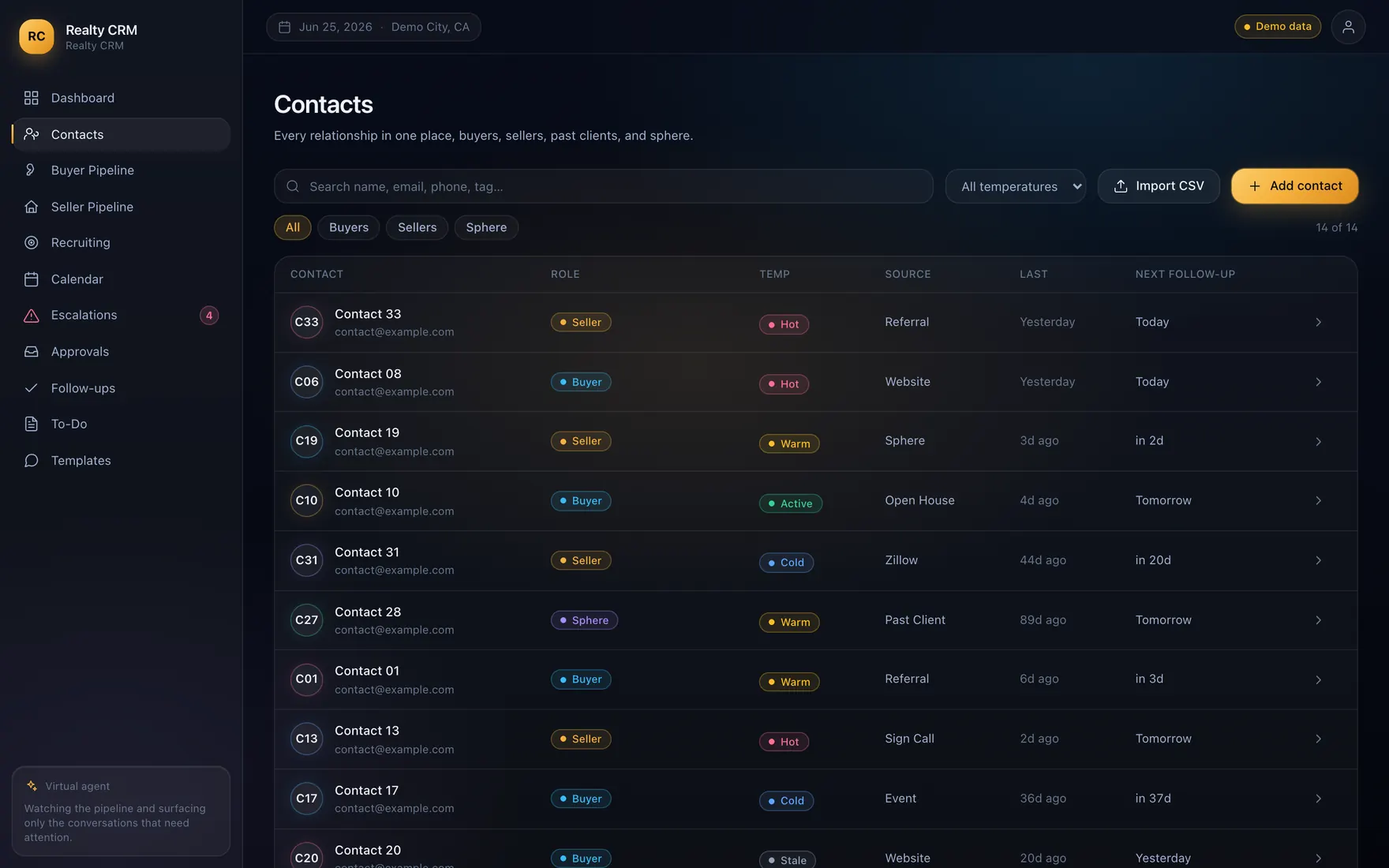
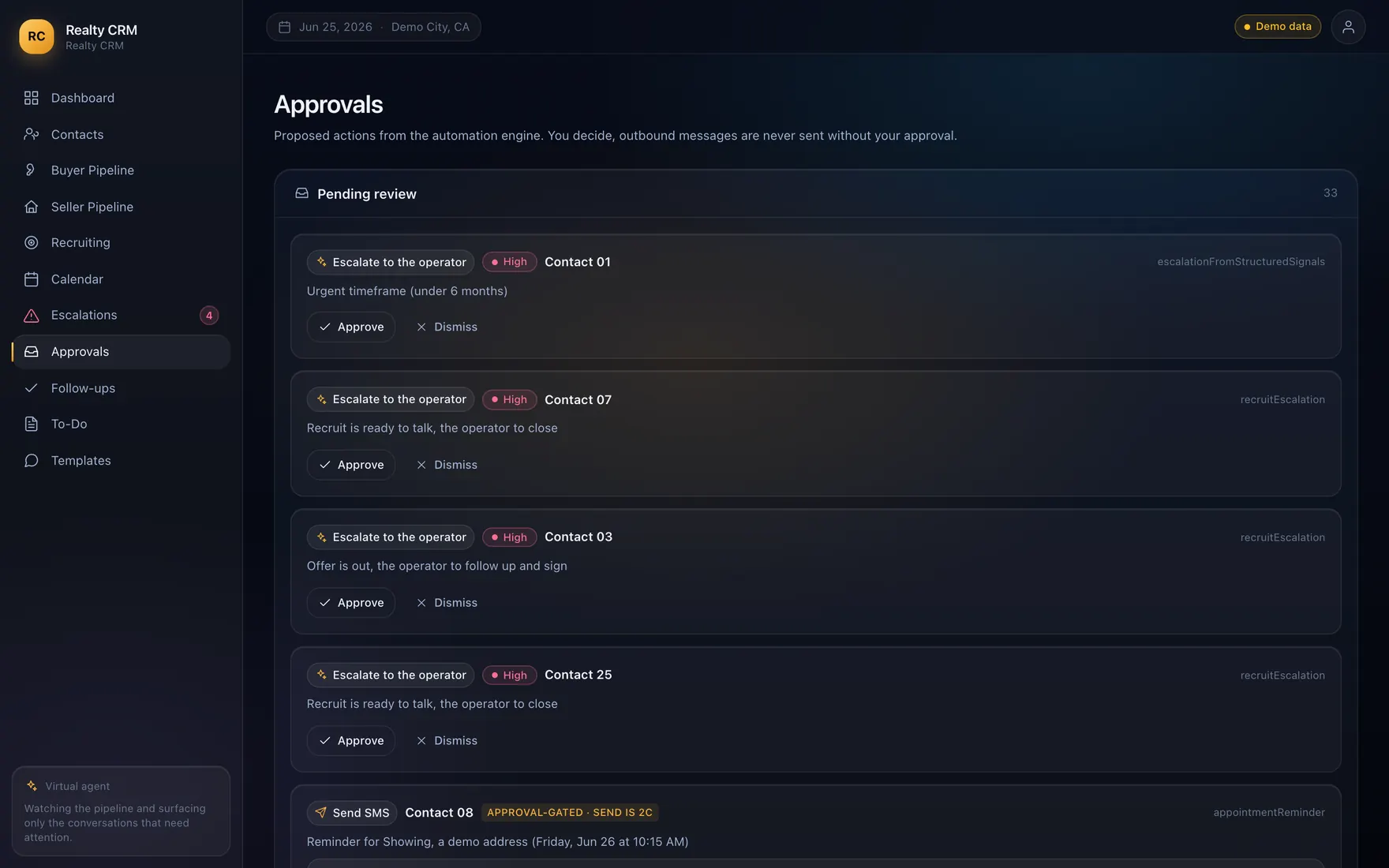
Most CRMs solve storage and call it a day. The owner still has to open the thing, read everything, and work out what matters. This one inverts that. An automated layer reads the pipeline continuously and escalates only the conversations that are genuinely time-sensitive, with the reason attached and a suggested next step, so the default state is a short list of decisions rather than a long list of records.
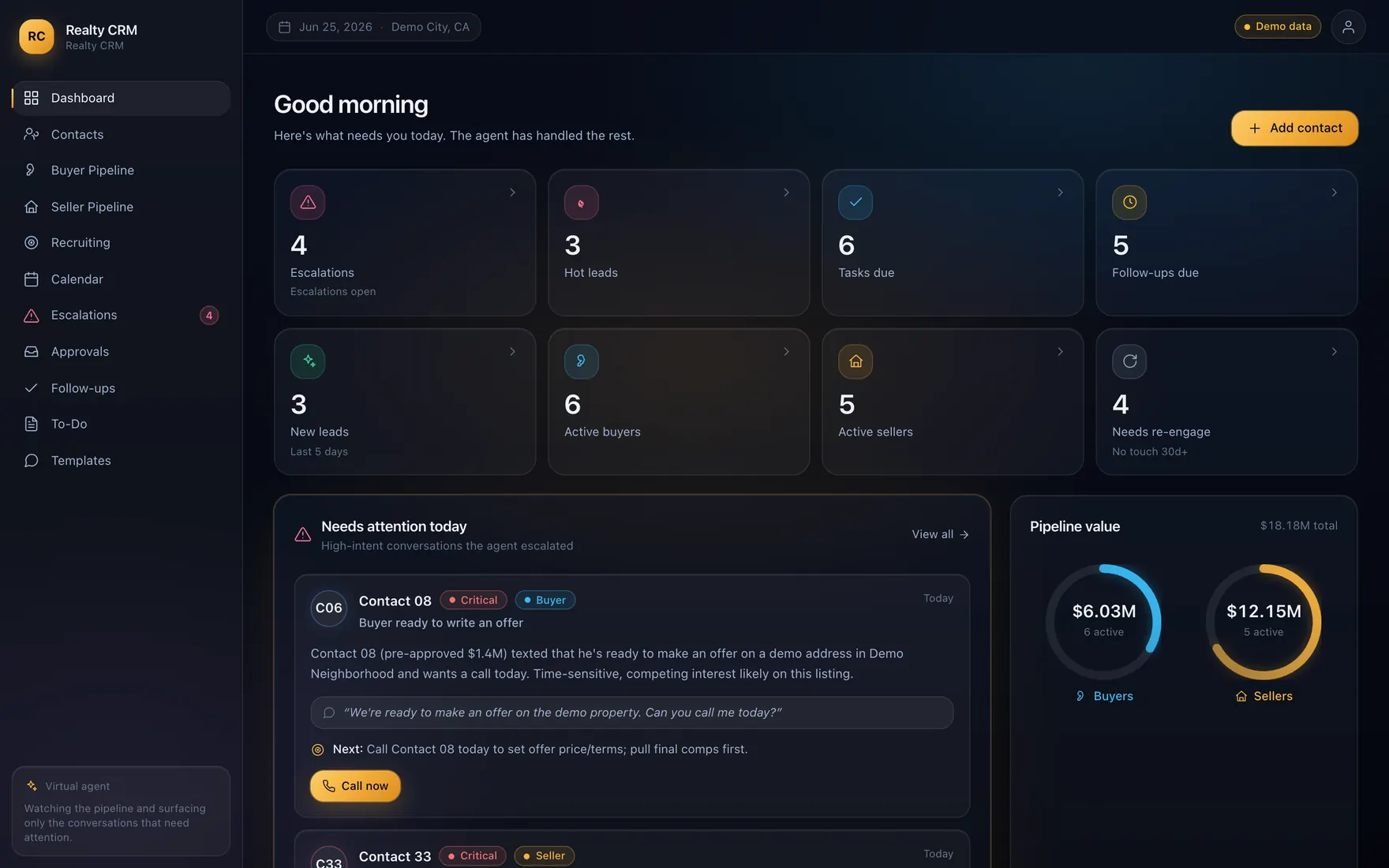
A CRM dashboard listing open escalations, hot leads, tasks due and follow-ups, with a panel of conversations flagged for a callback and two pipeline value dials.
Daily view. Interface shown running on demo data

How it's put together

  • One database as the source of truth, not a spreadsheet export
  • A read layer that can be pointed at demo data or the operational database
  • An automation pass that scores and escalates, writing its reasoning to the record
  • Every outbound action queued for human approval before it leaves

Built for

  • Sales teams whose follow-up depends on somebody's memory
  • Owners who want the exceptions, not another report
  • Businesses where a slow callback loses the deal
  • Any pipeline living across a spreadsheet and an inbox

Stack

  • Next.js
  • React
  • Supabase
  • Cloudflare
Reporting layer

The numbers an owner will open on a Monday

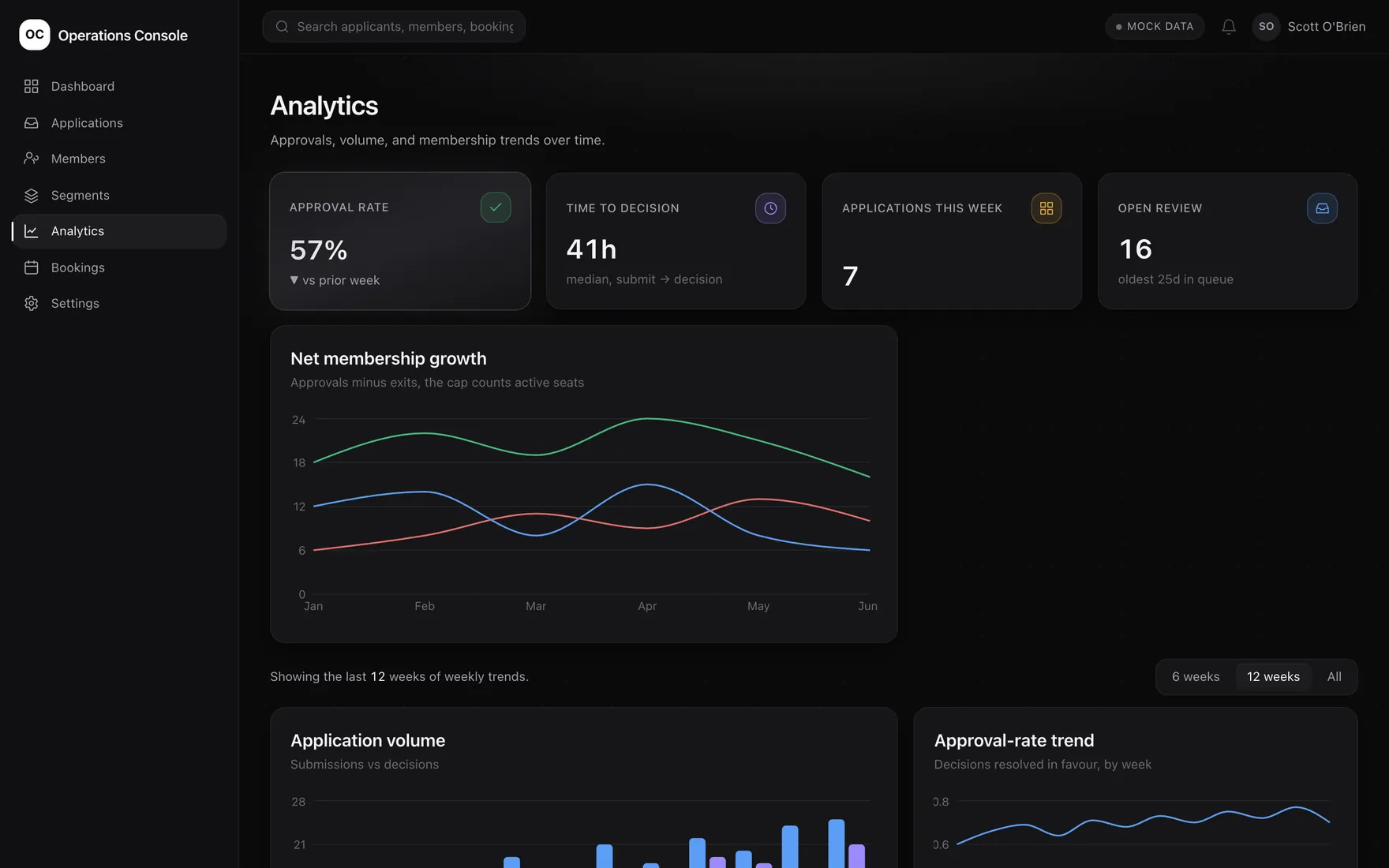
Most reporting fails because it answers questions nobody asked. This is the opposite: a small number of measures tied to decisions someone actually has to make, like how long a decision is taking and whether the trend is moving the right way. It reads from the same database the operational systems write to, so there is no export step and no second version of the numbers to argue about.

An analytics view with approval rate, median time to decision and weekly volume, above trend charts for net growth, application volume and approval rate.
Reporting read straight off the operational database. Interface shown running on demo data

How it's put together

  • Reads the operational database directly, so there is no second version of the numbers
  • A short list of measures tied to decisions, not a wall of charts
  • Rate and duration measures alongside the trend, so a bad week is distinguishable from a bad direction
  • No export step to forget, and nothing to rebuild by hand each week

Built for

  • Owners rebuilding the same spreadsheet report every week
  • Teams where two systems report two different numbers
  • Anyone who needs a trend, not a snapshot
  • Processes where the time a decision takes is the thing to manage

Stack

  • Next.js
  • React
  • Supabase
  • Cloudflare
Automated reminders & intake

A reminder engine that replaces the spreadsheet chase

Intake forms feed one database instead of four inboxes. From there the system schedules text message reminders at the right point in each record's life, tracks what was sent and what came back, and posts updates to the team's project board so nothing depends on somebody remembering to check. There is no dashboard to show off, because the whole point is that it runs without anyone opening it. What is worth showing is what happens to one reminder, from the form to the phone.

  1. It all lands in one place

    Sign-up forms and the records you already keep become one file per person. No more checking four inboxes to work out what's going on.

  2. It knows who to text, and when

    Each person gets a few reminders in the run-up to their date, and one more if it goes past. The countdown runs on their local time, so nobody gets a message a day early.

  3. Every text is checked first

    A message only goes out if it clears all of these. One no, and it waits or stops, and the reason gets written down.

    • They said yes to texts
    • They haven't asked us to stop
    • It's a real mobile number
    • It's a sensible hour of day
    • Their date still stands
    • The carrier has approved us
  4. It can't run away

    There's a hard limit on how many texts can go out in one run and in one day, and an off switch that works straight away. If the numbers look wrong, it stops and tells someone instead of sending anyway.

    • Limit per run
    • Limit per day
    • Instant off switch
    • Stops if it looks wrong
    • Never sends the same one twice
  5. Replies come back to the same place

    Delivered, failed or replied to, it all lands on that person's file. Anyone who replies to stop is never texted again, and your team's board updates itself.

The short version

Nobody has to remember anything, and nothing goes out that shouldn't.

How it works, step by step. A diagram, not an interface capture

How it's put together

  • Form submissions normalize into a single record per person
  • Reminders claim their slot atomically, so two workers cannot send the same message twice
  • Consent and opt-out handling built in from the start, not bolted on
  • Hard ceilings on how much can ever send in one run, plus a kill switch that does not need a redeploy
  • Delivery and replies logged against the record

Built for

  • Renewal and expiry deadlines: policies, contracts, memberships, licences
  • Appointment and service reminders that reduce no-shows
  • Any team tracking recurring dates in a shared spreadsheet
  • Businesses whose follow-up quietly depends on one person's memory

Stack

  • Supabase
  • Telnyx SMS
  • Monday.com
  • Jotform
Website & events platform

A site where the calendar and the event listings maintain themselves

A public website with the event calendar wired directly into it, so listings stop being maintained by hand in two places. Events publish once and appear everywhere. A speaker submission form lets people put themselves forward without starting an email thread, and their details land somewhere structured instead of in an inbox.

How it's put together

  • One event record drives the site, the calendar and the listing
  • Submissions write to a structured store, not an inbox
  • Runs on edge infrastructure, so pages are fast without a caching bolt-on

Built for

  • Organizations publishing a recurring event calendar
  • Conferences and groups taking speaker or vendor submissions
  • Anyone maintaining the same event details in three places

Stack

  • Cloudflare Workers
  • Next.js

Different businesses, same underlying parts: a clean data layer, automation that respects the rules, and a view an owner will open. That's why this transfers. If your problem rhymes with one of these, most of the thinking is already done.

Think one of these is close to your problem?

Bring it to a discovery call and we'll work out how much of it transfers. It's a real conversation, not a pitch.

Prefer email? support@veris-ai.com. I answer my own inbox.

  • About 30 minutes, no cost, no obligation
  • We walk through your current tools and where the work piles up
  • You leave with my honest read, including if that read is "don't spend money on this yet"